


Cross-platform WPF. Without the rewrite.

XPF is a binary-compatible WPF runtime. Your XAML, your code-behind, your DevExpress and Telerik controls, all of it comes with you. Change one SDK reference and build.

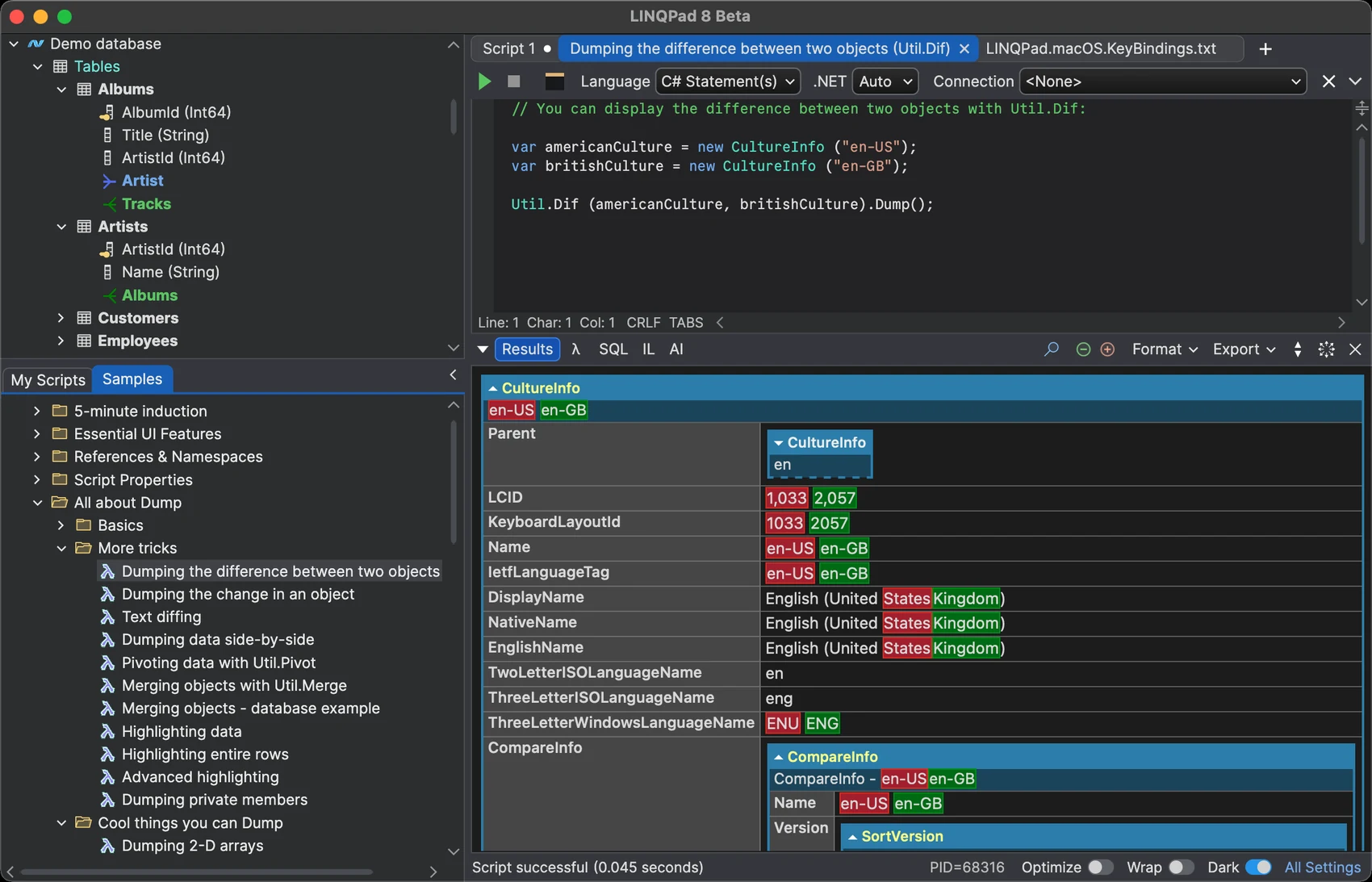
LINQPad 8, a WPF application, running on macOS with Avalonia XPF: a query editor above its results grid

LINQPad 8 on macOS: a WPF application, running on XPF. Read LINQPad’s story

XPF is trusted by industry leaders and developers worldwide

The business case

What a rewrite actually costs.

A rewrite takes your most experienced engineers off the roadmap for a year. And it is never 1:1: the last 10% is where the hidden cost is.

Rewrite it in-house

€300,000+

Two senior engineers for a year. Contingency on top.

Licence XPF instead

€29,500

Per application, perpetual. Your code is not rewritten.

What comes with you

Keep what you have. Change one line.

Your controls

Your DevExpress licence still works. So does Telerik.

A rewrite replaces your third-party controls one at a time, where the vendor ships an equivalent at all. XPF runs the ones you already licence.

  • Infragistics, Syncfusion, Actipro and SciChart too
  • 429 controls tested, 90% working
  • LINQPad’s Actipro editor runs on macOS
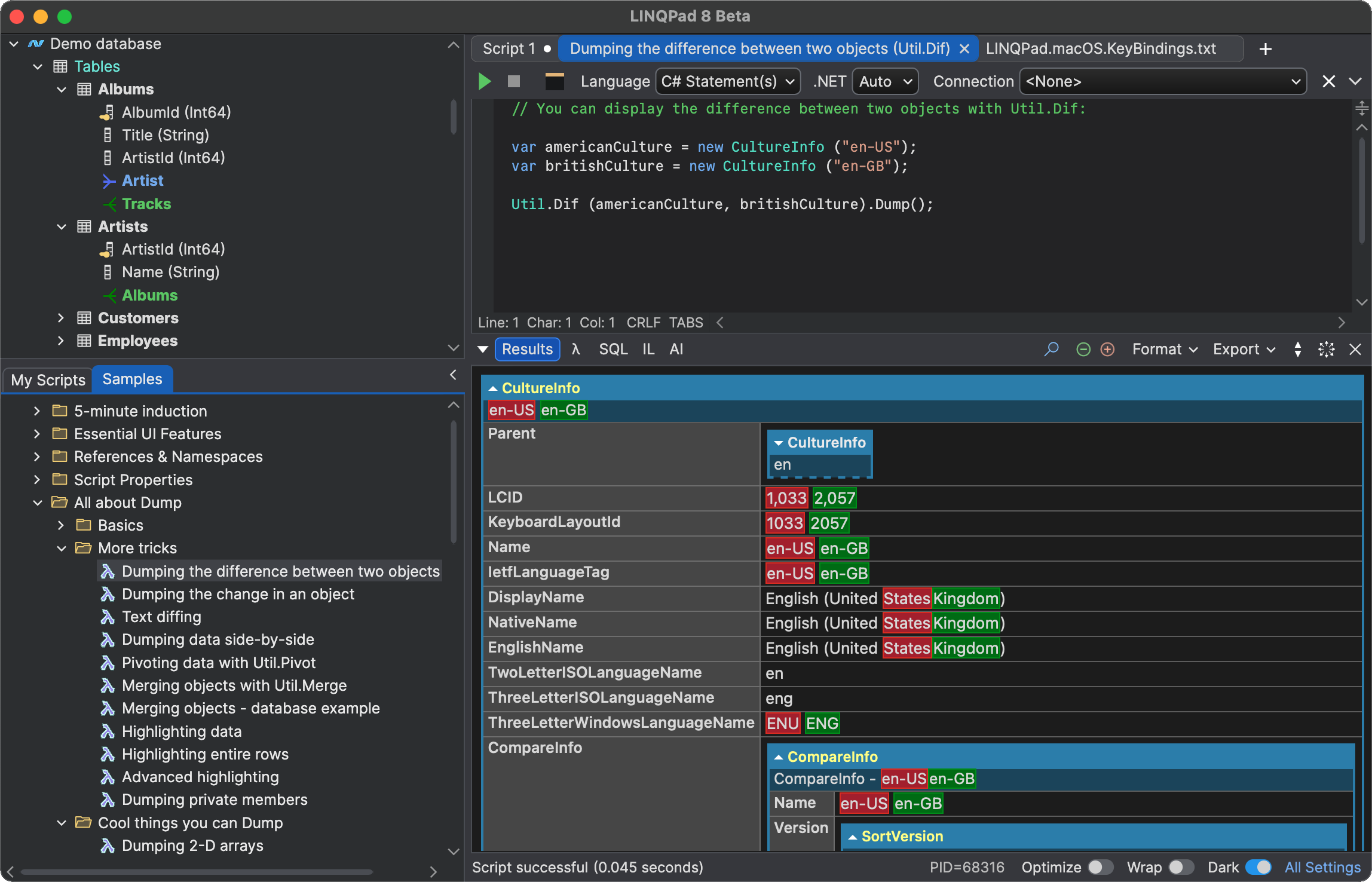
LINQPad on macOS with Avalonia XPF: its C# editor, Actipro’s WPF SyntaxEditor, above a results grid

One SDK reference

Go cross-platform by changing one line.

XPF is a fork of WPF that keeps API and binary compatibility across the managed surface. Only the Windows-only renderer beneath it changes.

  • Your XAML, code-behind and bindings carry over
  • Windows-only APIs get cross-platform equivalents
  • An evaluation covers the whole Business tier
YourProject.csproj
<!-- Before -->
<Project Sdk="Microsoft.NET.Sdk">

<!-- After -->
<Project Sdk="Xpf.Sdk/1.6.7">

Mix & Match

Blend Avalonia and WPF in the same window.

Host Avalonia controls inside your WPF views, so you can modernise one view at a time and leave the rest alone.

  • Adopt TreeDataGrid, theming or your own controls
  • A gradual path, not a big-bang rewrite
  • In the Business and Enterprise tiers
MainWindow.xaml
<Window x:Class="MyApp.MainWindow"
    xmlns="http://schemas.microsoft.com/winfx/2006/xaml/presentation"
    xmlns:x="http://schemas.microsoft.com/winfx/2006/xaml"
    xmlns:local="clr-namespace:MyApp"
    xmlns:xpf="clr-namespace:Atlantis;assembly=PresentationCore">
  <xpf:AvaloniaHost>
    <local:MyAvaloniaView/>
  </xpf:AvaloniaHost>
</Window>

Where it runs

macOS and Linux for every licence.

Embedded Linux, tablets and the browser when you need them.

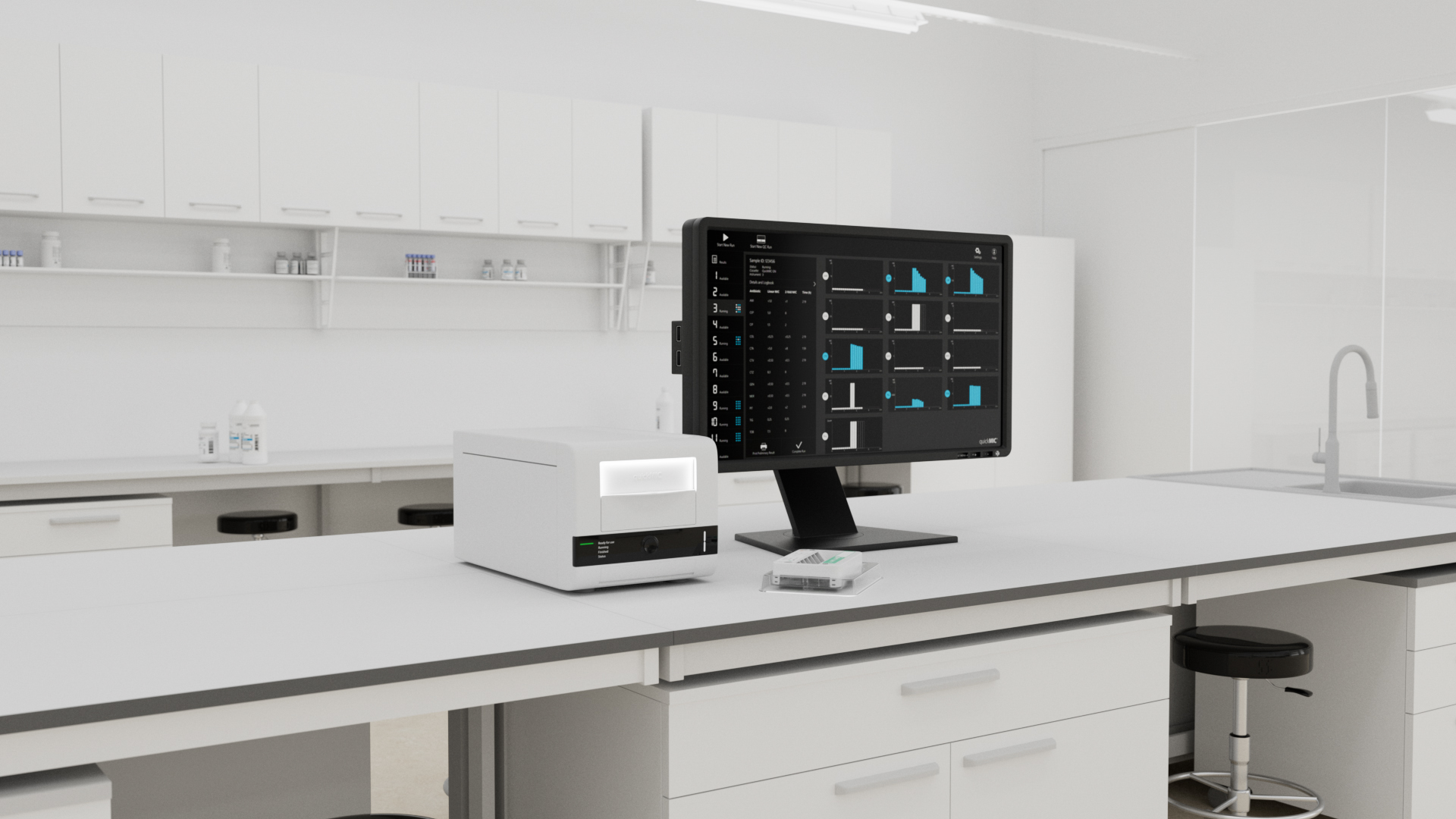
Gradientech's QuickMIC instrument on a laboratory bench, beside its touchscreen

Embedded Linux

Business add-on, in Enterprise

Your WPF interface, on your own hardware.

Gradientech moved its QuickMIC instrument from a Windows PC to an embedded Yocto Linux board and kept its WPF interface.

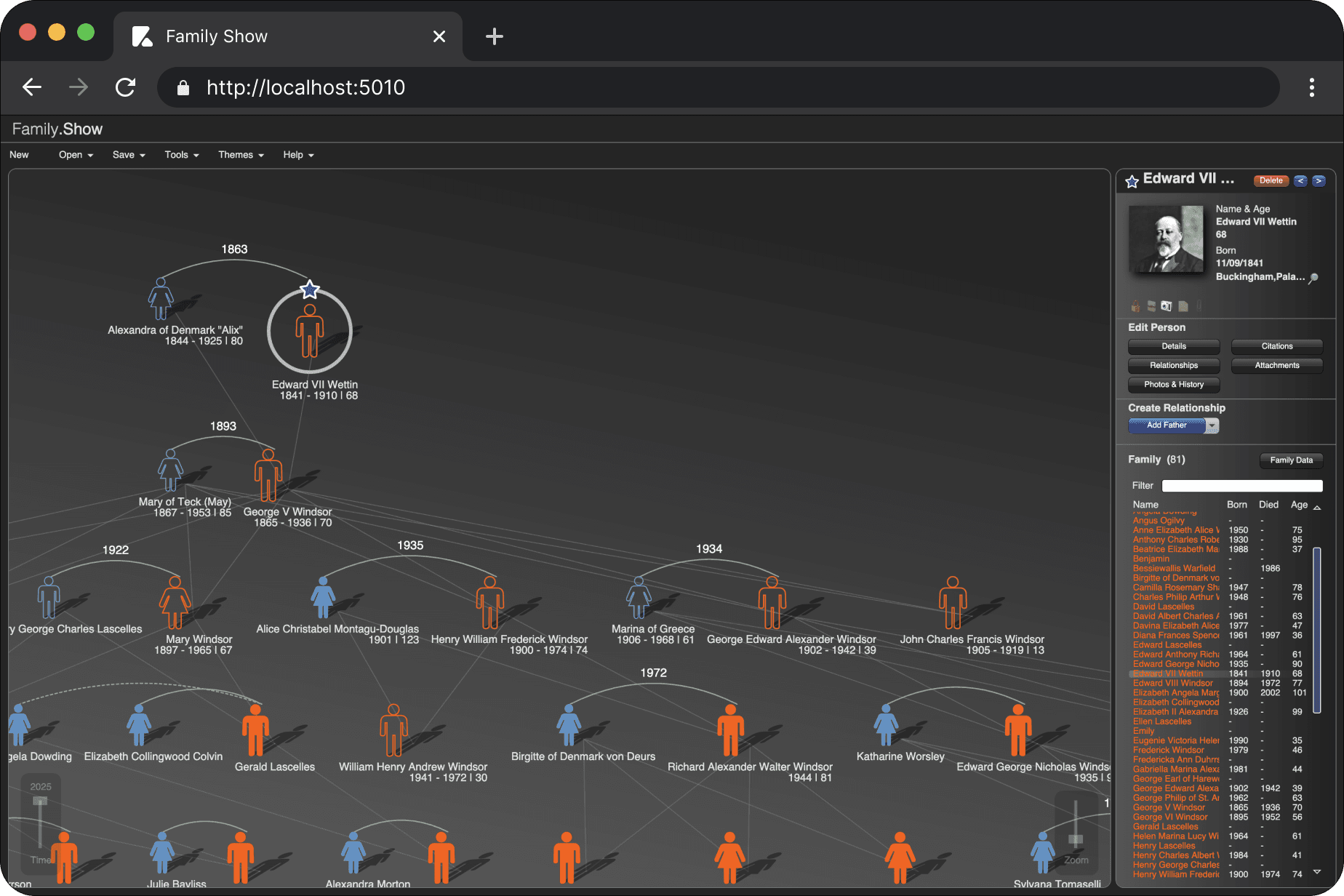
Family.Show, a WPF sample application, running in a browser tab with Avalonia XPF: a family tree beside a details panel

WebAssembly

Enterprise

WPF in the browser.

XPF runs WPF applications in modern browsers through WebAssembly. Multi-window flows are adapted to a single view.

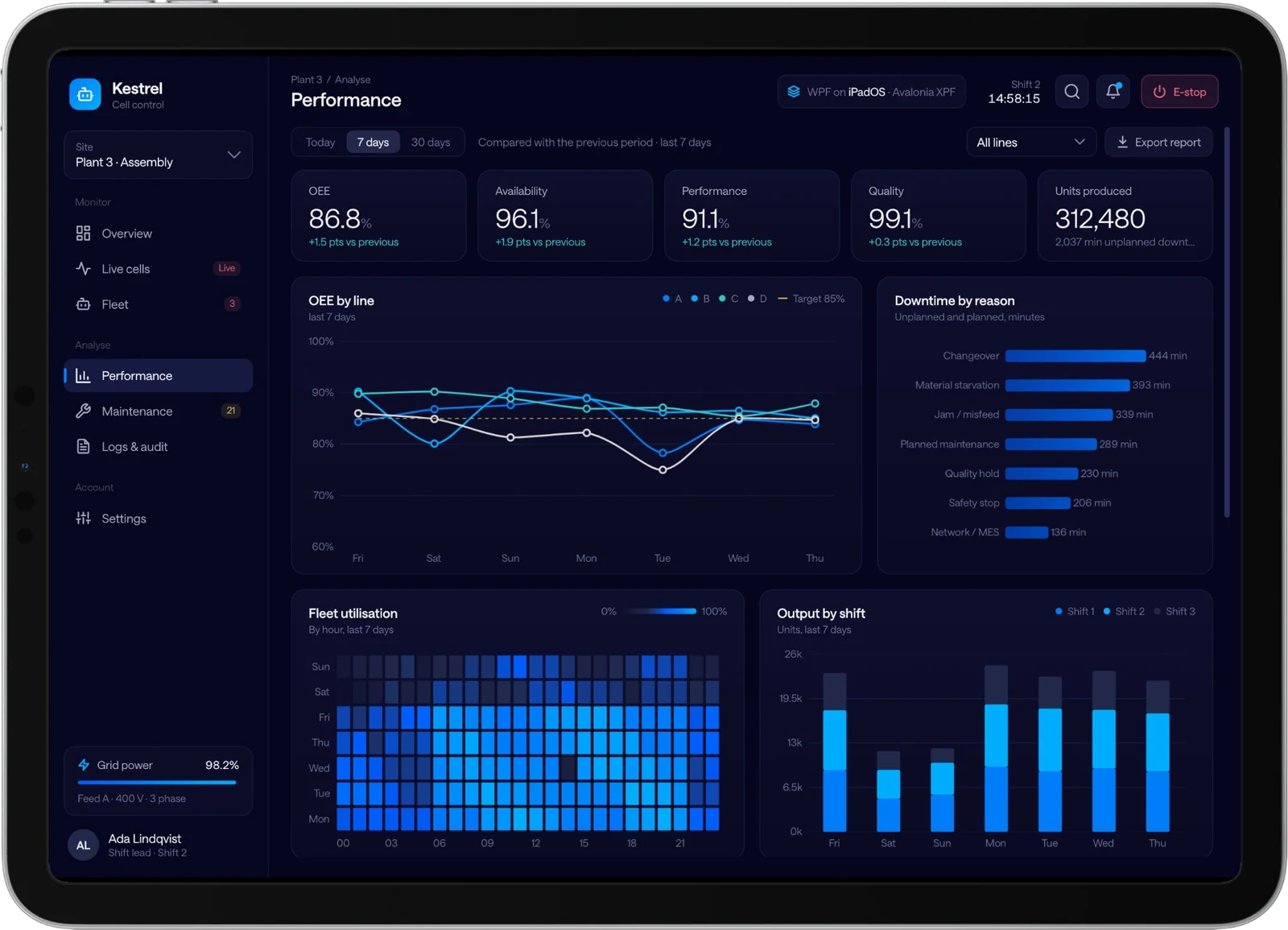
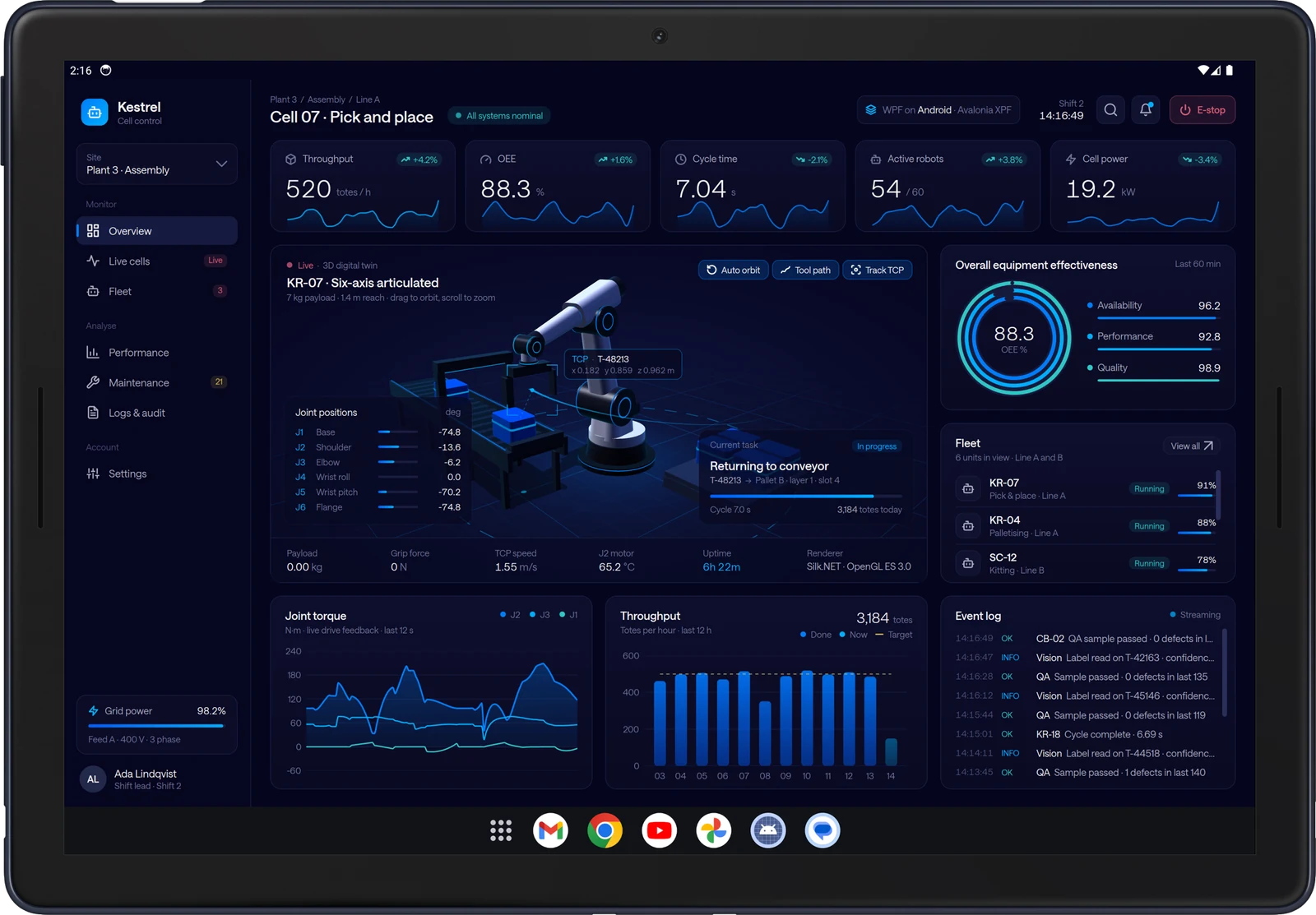
Kestrel, a WPF cell-control application, showing a week of OEE, downtime and output by shift on an iPad with Avalonia XPFThe same WPF application running on an Android tablet

iPadOS and Android tablets

Enterprise

Your desktop app, on a tablet.

Desktop interactions carry over, and you decide what to adapt for touch.

How it works

Only the bottom of the stack changes.

The managed layers your code and your controls talk to carry over unchanged. The Windows-only engine beneath them is what XPF replaces.

Your third-party controls

Your WPF application

  • Windows
  • iOS
  • macOS
  • Android
  • Linux
  • WebAssembly

Where it runs

  • Your XAML stays

    Views, code-behind, bindings and styles run as they are. XPF does not convert or generate anything.

  • Your controls stay

    Third-party suites talk to PresentationFramework, which is unchanged, so they carry over with the app.

  • The renderer changes

    MilCore and DirectX, the Windows-only engine at the bottom of WPF, are replaced by Avalonia’s renderer.

  • Win32 calls are answered

    A shim layer emulates the Win32 APIs that control suites call internally, on macOS and Linux.

Guides and migration docs.

Getting started, every platform, the known differences from WPF and how to run your third-party controls, written by the engineers who build XPF.

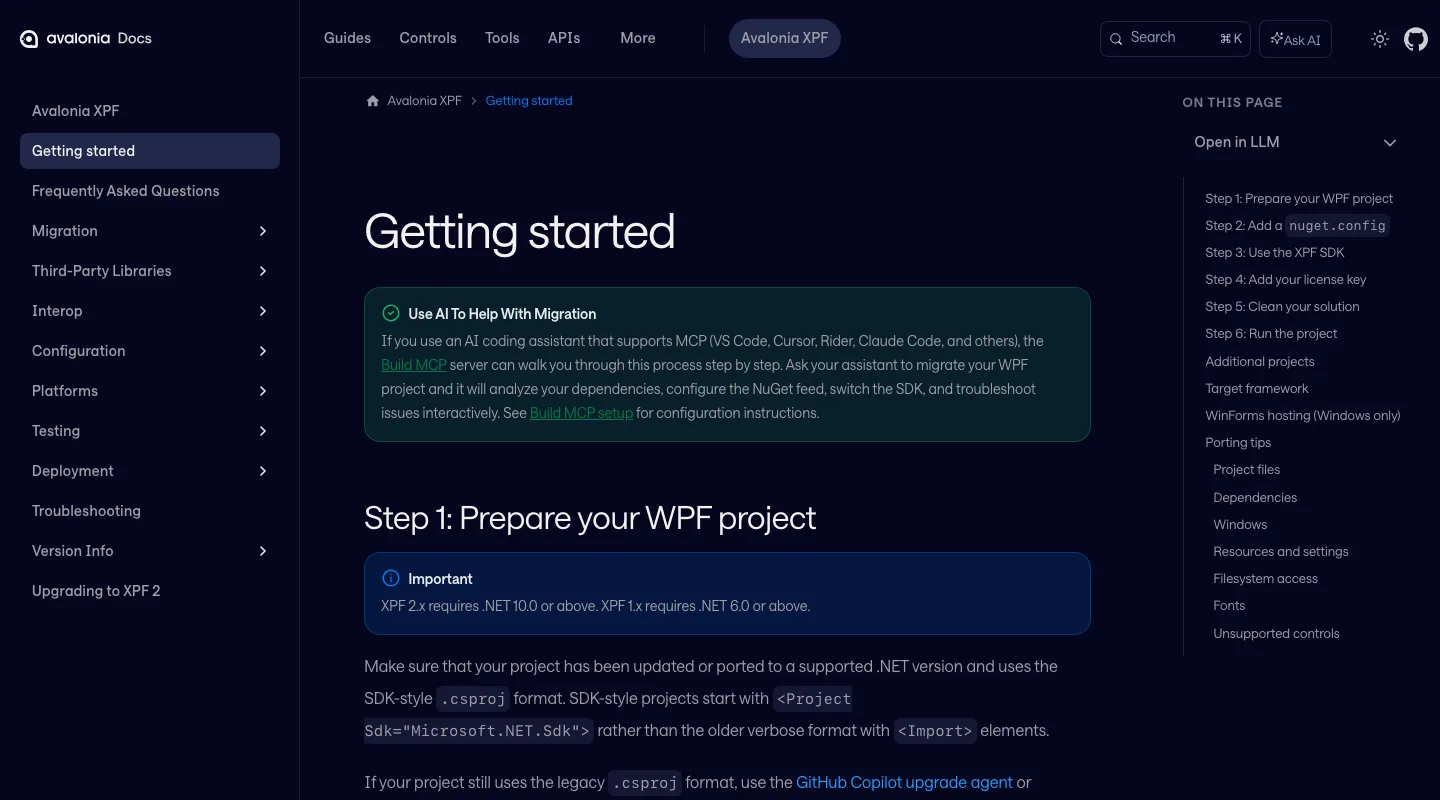
The XPF getting-started guide on docs.avaloniaui.net: the six steps from a WPF project to a running XPF build

The teams that kept their WPF code.

LINQPad 8 running on macOS with Avalonia XPFLINQPad
“Very happy with the decision to use Avalonia XPF: it’s turned out to be a powerful and productive x-platform API, and the support has been nothing short of awesome.”

Joseph Albahari

Creator of LINQPad

Read the story

KLM
“With XPF, the Mac version is now identical to the Windows version, and more importantly, we are very happy to be back to one codebase, thanks to XPF.”

Peter Wanders

KLM

Gradientech
“We chose Avalonia XPF to support the transition from a PC-based application to an embedded solution on custom hardware.”

Marcus Berglund

Gradientech

OnCue
“Porting our app to the Mac has been a breeze with XPF, and their technical support is rock solid. Kudos to the XPF team for creating an extraordinary product!”

David Cavin

OnCue

Your existing apps are battle-tested.Bring them to new platforms.

Years of bug fixes and hard-won edge cases already live in your WPF code, along with the control suites you’ve paid for. XPF runs all of it on macOS and Linux. The investment keeps paying off, and you skip the risk of porting it to a framework your team has never shipped with.

Pricing

Choose your deployment path.

Perpetual licences, per application, with twelve months of updates and direct support from the engineers who build XPF.

Internal

€9,500

per application, perpetual

For line-of-business apps and internal tools, deployed to your own employees only.

  • macOS
  • Desktop Linux
  • Major third-party control compatibility
  • 10 working day SLA
  • Upgrade to Business at any time

Business

€29,500

per application, perpetual

For software you sell or ship to customers on macOS and desktop Linux.

Everything in Internal, plus

  • Mix & Match Avalonia controls
  • Cross-platform System.Drawing
  • 5 working day SLA
  • Embedded Linux+ €21,250

Enterprise

From€124,500

per application, perpetual

For products that also need tablets or the browser, scoped with our engineers.

Everything in Business, plus

  • Embedded Linux included
  • iOS and Android
  • WebAssembly
  • 3 working day SLA
  • Source code access available
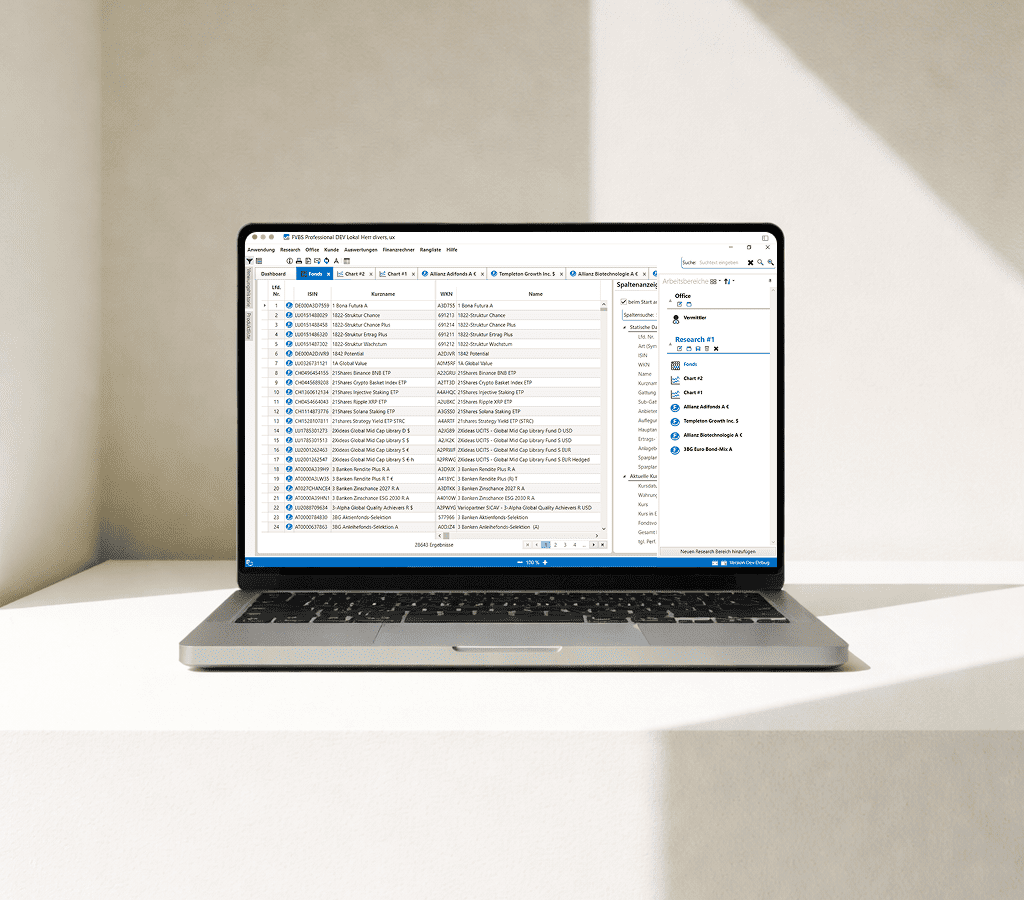
FVBS professional, a WPF financial advisory platform, running on a MacBook after its migration to XPF

Migration services

Would you rather someone else did the migration?

We offer migration services, and we work with partners who specialise in it. UXDivers moved FVBS professional, a WPF advisory platform used by banks, from .NET Framework to .NET 8 on XPF. Read the case study

  • Now ships on Windows, macOS and Linux
  • 99.9 per cent of its XAML preserved
  • Delivered by our partner UXDivers

FAQ

Your questions,
answered.

Can't find what you need? We're here to help.

Avalonia XPF is a cross-platform implementation of WPF that allows you to run your existing WPF applications on macOS, Linux, iOS, Android, and WebAssembly without rewriting your code.

Avalonia is a cross-platform UI framework with its own API inspired by WPF. XPF is a fork of WPF that maintains API and binary compatibility across the managed surface area. Most managed WPF code carries over directly, though Windows-specific APIs require platform alternatives.

XPF 2.x requires .NET 10 or later, and XPF 1.x requires .NET 6 or later. Either way your project needs to be an SDK-style project, building cleanly on modern .NET, before XPF comes into it.

Not directly. Modernising from .NET Framework to .NET 6 or later is a separate piece of work that has to happen first, and XPF does not do it for you. It is well-trodden ground and plenty of teams do it as the first phase of the same project, but it should be scoped as its own piece rather than assumed away.

DirectX is Windows-only, so anything rendering through D3D directly needs a cross-platform answer. System.Drawing.Common is deprecated off Windows and GDI+-dependent controls will throw, which is what the Business tier cross-platform System.Drawing addresses. FlowDocument support has real limits: no pagination, no floaters, and limited tables. Multiple UI threads are not supported on macOS, per-pixel hit transparency is not supported, and not every Win32 message is generated on every platform. We publish the full list of behavioural differences in the XPF documentation under Migration, Known Differences.

A rewrite puts your most experienced engineers on rebuilding what you already have, and most teams cannot spend a year reinventing the wheel while their competitors ship new features. A rewrite is also never 1:1. Even with an expert cross-platform team, the first 90% can look straightforward; the final 10% is where the complexity and the hidden costs emerge. Porting to a different UI framework is the same rewrite, with a new API to learn on top. XPF runs the application you already have.

For typical business UI workloads, rendering performance is broadly comparable to WPF. XPF uses Avalonia's modern compositional renderer, which is hardware-accelerated and optimised for each target platform.

Yes, XPF supports UI controls from leading vendors including Actipro, DevExpress, Syncfusion, Telerik, Infragistics, and more.

No, XPF does not convert your code. It's a WPF fork that runs your managed WPF code on new platforms. You change the SDK reference in your project file and XPF handles the rendering.

DirectX is a Windows-only technology. XPF replaces the DirectX-based rendering pipeline with Avalonia's cross-platform renderer while maintaining visual fidelity.

Run WPF on macOS and Linux.

Try your production codebase and its third-party controls on new platforms, with support from the engineers who build XPF.