Avalonia vs Electron
Both ship desktop software from one codebase. Electron does it by packaging your web app with a browser; Avalonia builds the desktop application directly in .NET, with no bundled Chromium, no renderer processes and no browser release calendar underneath your product.
How they differ
Electron makes a website behave like an application.
Avalonia lets you build the application itself. Electron’s proposition opened the desktop to web developers: build the interface in HTML, CSS and JavaScript, then ship it with Chromium and Node.js so the same UI runs on Windows, macOS and Linux. It powers excellent software, Visual Studio Code included. The cost is architectural, and it’s paid in every install: a browser engine, a JavaScript runtime and a multi-process design built for the open web, underneath a product that isn’t one.
One project in the .NET you already run, UI and business logic together.
React, Vue, Angular or plain web code, running in renderer processes.
Objects in your application, drawn by the framework’s own renderer.
A web page per window, rendered by the bundled Chromium.
A .NET application with a compositor and a hardware-accelerated render loop.
A Node.js main process, a renderer process per window, and utility processes beside them.
With the .NET runtime alongside it: self-contained, trimmable, compilable ahead of time.
Chromium and Node.js are embedded in every install, before your first line of code.
A desktop application, built as one from the start.
A browser, packaged to run exactly one site: yours.
Why it matters
You can optimise an Electron application. You can’t optimise Chromium out of it. Everything else on this page follows from that: the download size, the process count, the security boundary and the release calendar are properties of shipping a browser, and no amount of application engineering removes them. Avalonia’s answer is to leave the browser out.
What ships in the box
The browser is not free.
Every Electron install carries the browser before it carries your product. None of what follows is an estimate: the runtime is a public download, and the guidance on what it costs to run comes from Electron’s own documentation.
The download
About 150 MB before your app arrives.
The prebuilt Electron 43.4.1 runtime for Windows x64 is about 150 MB compressed and 374 MB unpacked, with a 236 MB electron.exe at its centre. That’s the floor: your code, your frameworks, your assets and your npm dependencies all ship on top of it.
The processes
One window is never one process.
Electron inherits Chromium’s multi-process architecture: “Each Electron app spawns a separate renderer process for each open BrowserWindow (and each web embed)”, beside a Node.js main process and utility processes. Process isolation is the right design for a browser facing the open web; your application inherits it whether or not it ever loads a hostile page.
The optimisation budget
Performance is homework, by design.
Electron’s performance guide says it plainly: “All that freedom means that performance is largely your responsibility”, and it points to the continuous profiling that products like Visual Studio Code and Slack put behind that responsibility. Avalonia’s baseline is an application’s: a retained visual tree, a compositor and hardware-accelerated rendering, with no DOM and no JavaScript engine in the UI path.
The lifecycle
Ship a browser, and its calendar ships with it.
None of this is hidden; Electron’s release documentation is public and precise, and everything below comes from it. The point isn’t that Electron moves recklessly. It’s that a bundled Chromium turns a browser’s obligations, its pace, its patch cycle and its threat model, into your product’s obligations, for as long as the product lives.
The treadmill, from Electron’s own pages
A new major every eight weeks.
Electron’s release timeline: “Electron’s cadence between major version releases is 8 weeks long”. That pace is correct for a framework that ships a browser, because Chromium moves at the speed the open web needs. The question is whether your product wanted to move at that speed too.
Support covers the latest three majors.
“The latest three stable major versions are supported by the Electron team”. In practice a major lives about six months: Electron 43 went stable on 30 June 2026 and reaches end of life on 5 January 2027. Staying supported means shipping on that rhythm, rebuilding native modules along the way.
Chromium’s advisories become your releases.
An Electron application ships Chromium and Node.js, so their vulnerabilities ship too. Electron’s security tutorial lists the chain itself: “the security of your Electron application is the result of the overall security of the framework foundation (Chromium, Node.js), Electron itself, all NPM dependencies and your code”, and its first-order advice is staying current. A browser advisory anywhere in that chain can become your desktop release, on someone else’s timetable.
A browser’s security model, inverted.
A browser protects the computer from the website. An Electron app must let web content reach the desktop, and managing that boundary is yours: “A cross-site-scripting (XSS) attack is more dangerous if an attacker can jump out of the renderer process and execute code on the user’s computer”, the tutorial warns, and its checklist runs to twenty items, context isolation, sandboxing, IPC sender validation and Content Security Policy among them. Modern defaults are far safer than early Electron’s; the work is real and permanent.
Which one, for what
Sometimes the answer is Electron.
The trade is real. Electron lets a web team put the product it already has on the desktop, at the price of carrying a browser everywhere the product goes. Avalonia builds the application directly, at the price of not reusing an existing web frontend as the whole UI. Which price is right follows from what the desktop application is for.
Choose Avalonia when
The desktop application is the product.
- Startup time, memory and installer size are part of the user experience: there’s no bundled browser to carry, and nothing under the UI you can’t trim.
- The product goes deep on the desktop: native APIs, hardware and OS services reached through ordinary .NET interop rather than across an IPC boundary.
- Your team and codebase are .NET, and the UI should bind directly to the types you already have, checked when the project builds.
- Releases live on your schedule: customers qualify versions, deployments run on controlled cycles or air-gapped, and LTS releases carry five years of security updates.
- Mobile, the browser or embedded Linux might matter one day, and the same codebase should be able to go there.
Electron is a fair choice when
The desktop app is another window onto your web product.
- You already have a substantial web application and the desktop build is a distribution channel for it, reusing the frontend your users already know.
- Your engineering organisation is web-first, and its depth lives in React, Vue or Angular. That productivity is real, and it transfers to Electron on day one.
- You ship continuously, SaaS-style, so a new Electron major every eight weeks is a routine dependency bump rather than a re-qualification event.
Shipping today
Electron’s home categories, shipped without the browser.
A design canvas and a version-control client, both categories Electron is known for carrying, plus a real-time architectural renderer that no bundled browser would run.
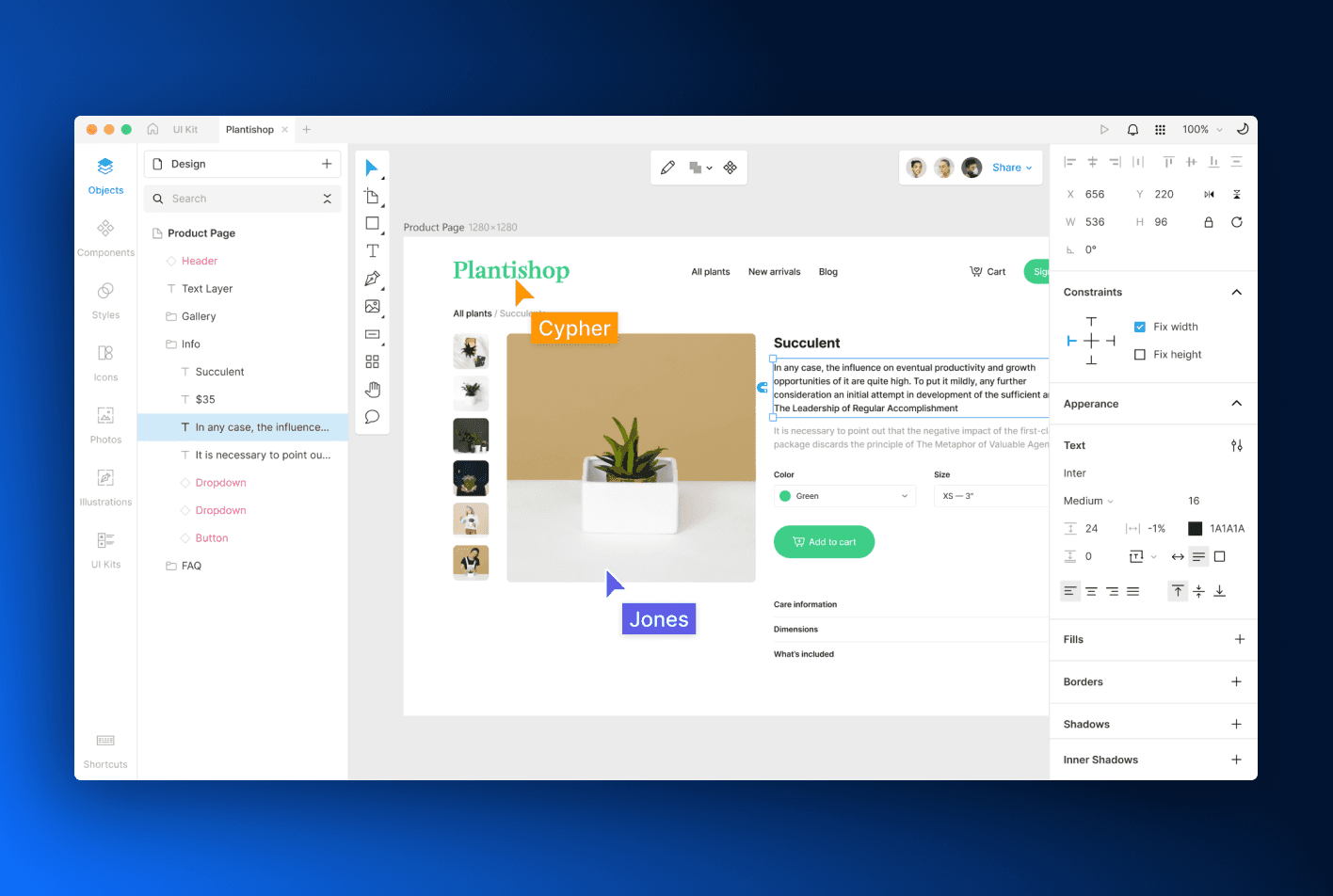
Icons8 Lunacy
A full graphic design application with built-in AI tooling, shipped for macOS, Windows and Linux.
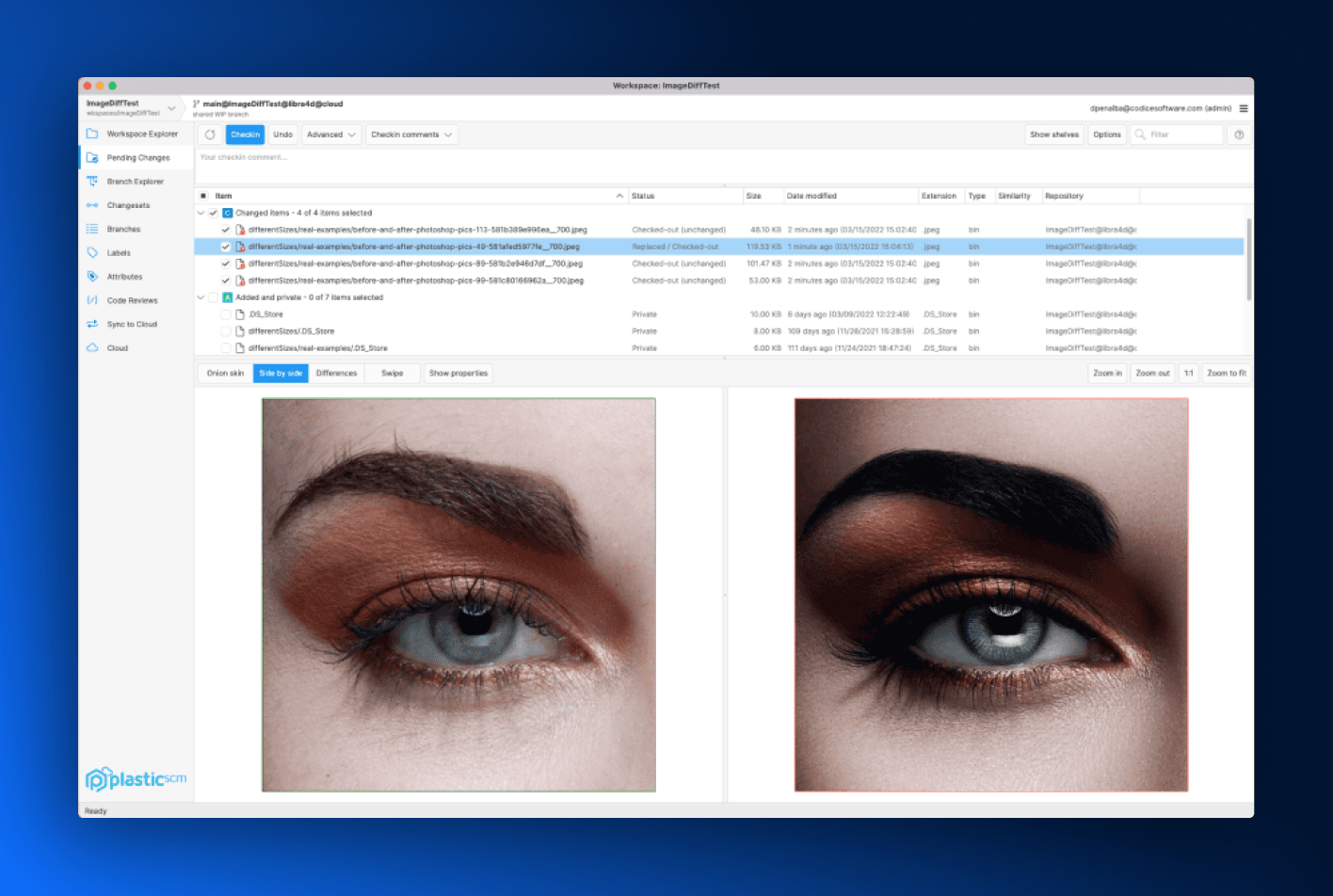
Unity Plastic SCM
Version control for game teams, with the same client shipped for Linux, Windows and macOS.
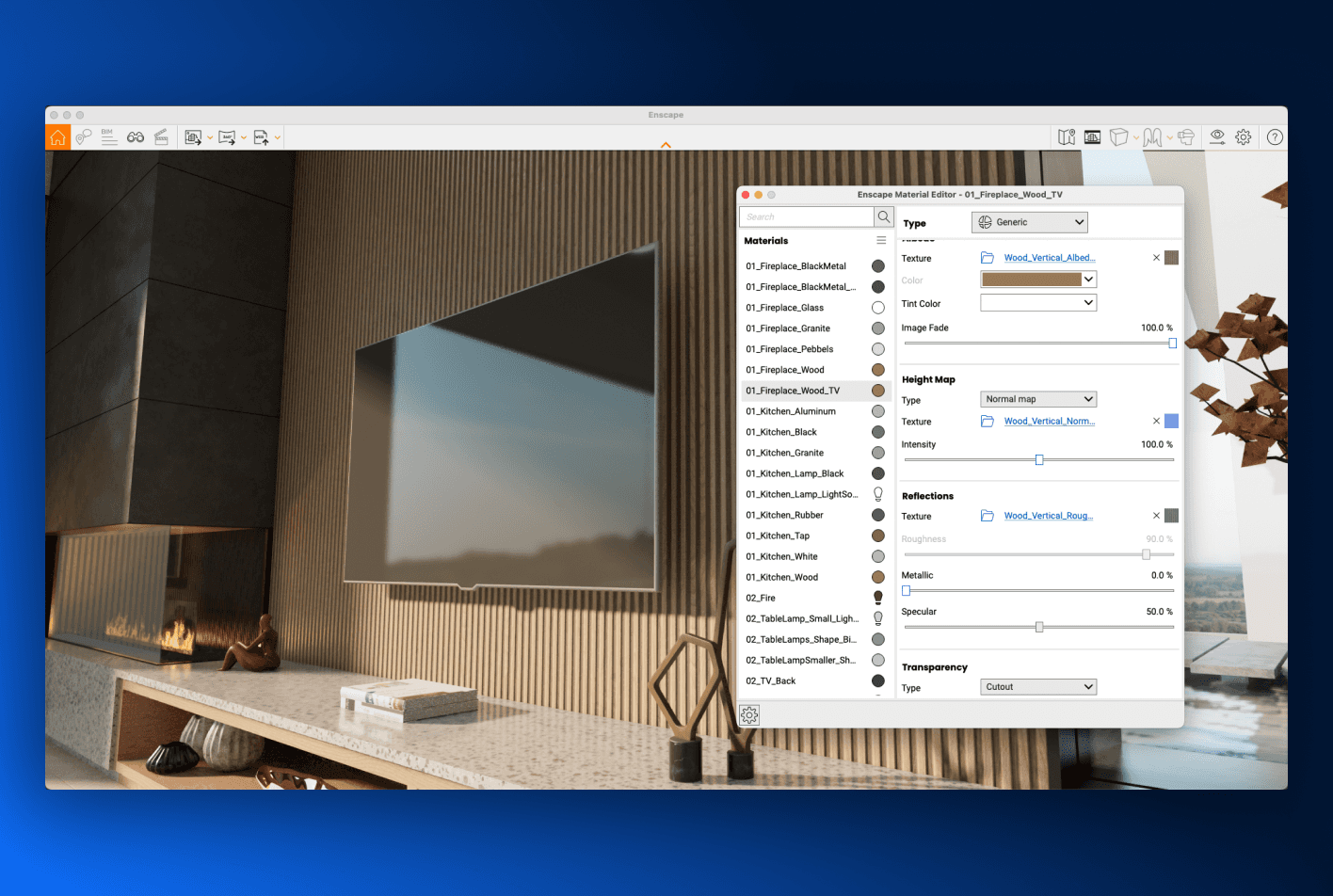
Chaos Enscape
Real-time architectural rendering and virtual reality, running inside the design tools architects already use.
The desktop boundary
Desktop applications eventually need desktop things.
File dialogs and tray icons are table stakes in both frameworks. The difference shows past them: native SDKs, hardware, OS services, dense keyboard-driven UI, the work desktop products are actually made of, and which side of the web boundary that work starts on.
Native access
Start on the native side of the boundary.
An Avalonia window hands you its HWND on Windows or NSWindow on macOS, native libraries are a P/Invoke away, and platform views embed into the visual tree through NativeControlHost. Electron’s APIs cover the common cases; past them, work crosses from the renderer over IPC into the main process, and from there into native code.
Native dependencies
No framework-specific ABI to maintain.
Native Node modules must be compiled against Electron’s own ABI, and its docs are candid: “After you upgrade Electron, you usually need to rebuild the modules”, with @electron/rebuild provided to automate it. A .NET call into a native library has no equivalent layer: there’s no Electron-shaped boundary to recompile every eight weeks.
Web content
A browser where you choose, not underneath everything.
Avalonia’s WebView, one of the commercial components, embeds web content with the engine the OS already provides: WebView2 on Windows, WKWebView on macOS and iOS, WPE WebKit or WebKitGTK on Linux, with Android supported too. OAuth pages, documentation and embedded sites get a real browser, and your Save button never needed one.
Side by side
The whole comparison, including the rows Electron wins.
Twenty-four rows, no ticks and no crosses. Ties are set back, and the last group points Electron’s way on purpose: reusing a web product you already have, with the team that built it, is exactly what Electron is for, and the table says so in full contrast.
Where it runs
What ships
The application model
The lifecycle
The web, where it helps
Electron rows were checked against Electron’s published pages in August 2026: the process model, the security tutorial, the release timelines and schedule, and the native-module guide. Avalonia’s LTS row states the /enterprise page’s own commitment: five years of security updates on designated releases. When Electron’s docs or schedule change, so should this table; tell us if we’re behind.
FAQ
The questions
the evaluation asks.
If you’re weighing this up for a real product and something here doesn’t cover it, ask us directly.
VS Code is excellent, and it’s genuine proof that Electron can carry sophisticated software. It’s also a product with enormous engineering investment behind it: Electron’s own performance guide points to the continuous profiling that experience from apps like VS Code and Slack has shown to be necessary. The question for a technical leader isn’t whether enough engineering can make Electron fast. It’s how much engineering should go into compensating for the architecture before it starts going into the product. If you have VS Code’s budget, the answer may genuinely be Electron. Does your product?
If the desktop app is a window onto a web product you already run, yes, and this page says so plainly: reusing a frontend you own, with the team that built it, is Electron’s strongest case. The assumption worth checking is that because the first window was easy, the next decade will be. Once the product needs deep desktop integration, the web skills stop covering the work, and the team is learning IPC, process models and native-module rebuilds rather than C# and XAML. Both paths are learnable; neither is free. Choose by where the product is going, not by where the first sprint is easiest.
Tauri replaces the bundled Chromium with the operating system’s own webview and a Rust core, which genuinely cuts the download. The UI is still a web page, though: the same DOM, an IPC boundary to native code, and rendering that varies with each platform’s webview. If what you want is a lighter Electron, it’s a reasonable option to evaluate. If what you want is a desktop application rather than a hosted web page, the question is the same one this whole page is about, and the shell doesn’t change the answer.
Yes, where it’s genuinely web content. Avalonia’s WebView component embeds pages using the engine the operating system provides, so OAuth flows, documentation and existing web surfaces can sit inside an Avalonia application without bundling a browser. What doesn’t transfer is the frontend as the whole UI: Avalonia’s UI is XAML and .NET. Teams that want most of the product to stay web should usually pick Electron and say so without embarrassment; teams building the product as an application embed the web parts instead.
Keep the browser for browsing.
Electron gave web developers a route onto the desktop. Avalonia gives product teams a desktop architecture: one .NET codebase for Windows, macOS, Linux, mobile and the browser, MIT licensed, with no Chromium in the box.