Render markdown with clarity and control
Let the content in your apps shine with robust text formatting and styling.
Trusted by .NET teams around the world
Features
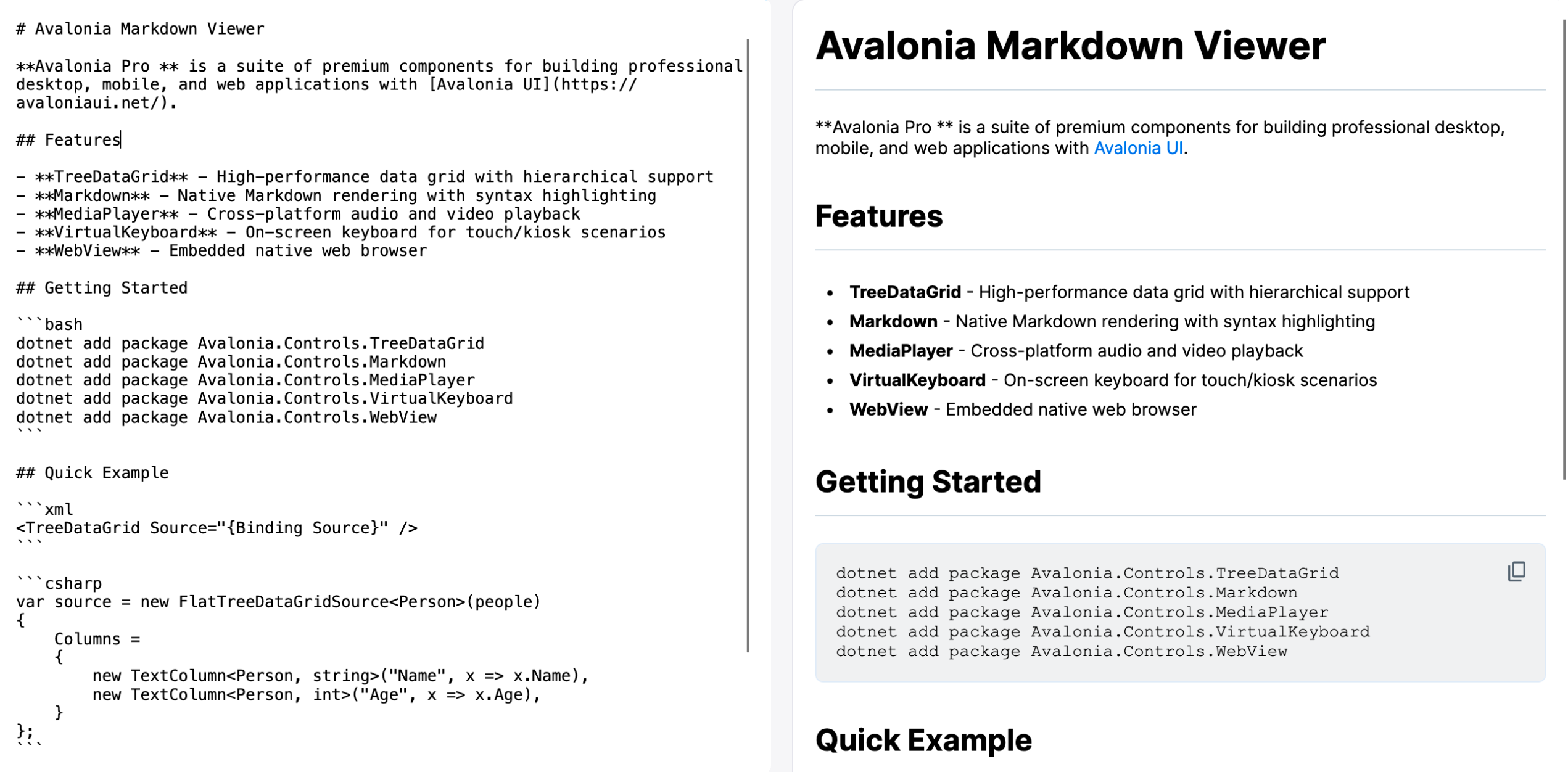
Bind a string of markdown, get a formatted document.
Headers, lists, blockquotes, tables, inline code and images all render from a single Text property, styled by named resources so the output matches the rest of your app.
Rich markdown feature set
Headers, lists, blockquotes, tables, inline code and images all supported and automatically created from binding to a Text property.
Syntax-highlighting support
Works with AvaloniaEdit styling for code-blocks to deliver high-quality developer-facing content.
Theming & styling
Fine-grained styling via named resources for hyperlinks, code blocks, headers and more.
WebAssembly demo
Try the Markdown Viewer in your browser
Tables, task lists, code fences and quotes rendered to native controls in front of you, compiled to WebAssembly.
Setup
Simple installation and implementation.
Add the package, drop the control into your view, and bind it. There is no renderer to configure and no per-platform code to write.
Add the Markdown package to your project
dotnet add package Avalonia.Controls.MarkdownInclude your Avalonia UI license key in the executable project file .csproj
<ItemGroup>
    <AvaloniaUILicenseKey Include="YOUR_LICENSE_KEY" />
</ItemGroup>
Customer stories
"Avalonia has a very strong community, and frankly is a joy to work with."
Bill Henning
CEO & Founder, Actipro Software




Pro features
Markdown Viewer is included with Pro.
One subscription carries all seven premium components, 70+ chart types and the advanced tooling. Nothing on this page is a separate purchase.
Included components
FAQ
Your questions,
answered.
Can't find what you need? We're here to help.
No. This component is part of the Avalonia Pro and Enterprise tiers. Activation requires an Avalonia account and a valid Pro or Enterprise licence.
Yes. Each component gives you a ready UI out of the box, but you can build a bespoke interface by using the underlying classes directly and wiring up your own commands and visuals.
Supported formats depend on the underlying platform. Check the component's documentation and the platform's own capability lists for specifics.
Avalonia UI components support Windows, macOS, Linux, iOS, Android, and WebAssembly. Each component uses the native platform back-end for optimal performance and compatibility.
Let your content shine
Try Markdown Viewer free for 30 days and render rich markdown natively inside your own app. Robust formatting and styling keep long-form content readable everywhere your app runs.