Avalonia vs WPF
The same XAML instincts, two different reaches. What transfers, what changed, and the two paths that take WPF-shaped software beyond Windows: Avalonia for what you build next, and XPF for the application you already have.
How they differ
WPF got the model right. Windows is where it stops.
Avalonia exists because WPF’s ideas deserved more platforms. XAML over your objects, binding instead of wiring, templated controls the framework draws itself: WPF proved all of it, and Avalonia carries the same model rather than replacing it. The open questions are where the result is allowed to run, and what happens to the WPF code you already have.
The same pattern, with additions like compiled bindings and selector styles.
The pattern WPF proved across two decades of desktop software.
Drawn-controls (like WPF), but designed for cross-platform.
Vector-based, resolution-independent rendering; nothing wrapped.
One project, with embedded Linux beyond the desktop.
By design.
True cross-platform.
Stuck on Windows.
Why it matters
A WPF team evaluating Avalonia is weighing the same philosophy with a different reach. Skills transfer becomes the default rather than the risk, and the real decisions are lifecycle, tooling and what to do with the application you’ve already shipped.
Transferable Skills
You're already an Avalonia expert.
If you've ever built or maintained a WPF application, then developing with Avalonia will feel incredibly familiar. Most users with existing WPF experience report that they're productive immediately and that the rich documentation helps them quickly understand the differences.
What transfers
The mental model, not just the syntax.
XAML views over view models, INotifyPropertyChanged, commands, DataTemplates, ItemsControl and ContentControl composition, resources and styling: the shape of an Avalonia app is the shape of a well-built WPF app. The concepts transfer with the team rather than requiring everyone relearn.
What changed
A dialect, and it’s documented.
Styles select like CSS, with classes and pseudo-classes, instead of triggers. Properties are strongly typed StyledProperty registrations rather than one DependencyProperty class. Events are pointer-based. Bindings can compile, so a typo in a path can fail the build instead of a demo. Each difference is deliberate, and each has its page in the migration guide.
What was never WPF
The views are the porting surface.
View models, services, domain logic, data access and the test suites over them are .NET, not WPF; they compile wherever .NET runs. What’s left, the views and the styling layer, is real work on a large product, and a fraction of what “rewrite” usually conjures.
The decision
Three futures for a WPF codebase.
For years the only advice for a WPF team that needed macOS or Linux was a rewrite, and working products rightly decline rewrites. That’s the constraint that changed. All three paths below are real, each suits a different codebase, and two of them are ours.
The paths, and who each one is for
Stay on WPF, on Windows.
Legitimate, and for many products correct. Microsoft’s own platform overview marks WPF actively maintained, “New versions of WPF are released yearly with .NET”, and a Fluent theme for Windows 11 arrived in .NET 9 and grew in .NET 10, with Microsoft’s own caveat that “Fluent UI style support is still in progress”. If your product is Windows-only by nature and your users are happy, no page of ours should talk you out of that.
Run the application you have, everywhere, with XPF.
XPF is a binary-compatible WPF runtime. It replaces the rendering layer underneath WPF with Avalonia’s cross-platform engine while keeping API and binary compatibility, so the same application runs on Windows, macOS and desktop Linux. The docs put the effort claim plainly: “No code changes for most applications. If it compiles against WPF today, it will most likely compile against XPF”. Licensing is per application, perpetual, with a 30-day free trial. Autodesk, KLM and Stryker ship on it.
Build what’s next on Avalonia.
For the new product, the next module or the UI you were going to rebuild anyway: the same model your team already thinks in, MIT licensed, targeting the desktop trio plus mobile, the browser and embedded Linux from one project. The skills section above is the whole onboarding story. Teams that bet a product on it can put the framework’s own engineers behind them with Avalonia Enterprise.
Which one, for what
Sometimes the answer is staying on WPF.
The trade is narrower than on any other page of this family, because the model is shared. What’s left to weigh is reach, tooling and lifecycle, and the split looks like this.
Choose Avalonia when
The next thing you build shouldn’t inherit the Windows ceiling.
- You’re starting a product, a module or the UI rebuild you’d already planned, and want it born cross-platform rather than ported later.
- macOS or Linux users exist anywhere in the product’s future: customers, field hardware, developer tooling, or the browser via WebAssembly.
- Your team’s WPF fluency is an asset to spend: the model transfers, and the differences are a documented dialect rather than a retraining.
- You want what the model grew after WPF: compiled bindings checked at build time, selector-based styling and theme variants across every platform.
- MIT licensing matters: no per-seat framework licence, with commercial tooling, components and support as options rather than requirements.
WPF is a fair choice when
The product is Windows, and that’s the end of the sentence.
- Your users, deployment and roadmap are Windows-only by nature, and nothing on the horizon changes that.
- The codebase leans on Windows-specific surface: HwndHost, WindowsFormsHost or DirectX interop that only makes sense on one OS.
- Your team works through the Visual Studio drag-and-drop designer, and a live previewer isn’t the same trade.
- The product ships well today. A working WPF application serving its users needs a reason to move, not a comparison page.
Shipping today
The software WPF built, shipped beyond Windows.
A long-running WPF codebase on macOS through XPF, plus a profiler and a version-control client rebuilt on Avalonia: two routes off Windows, both shipping today.
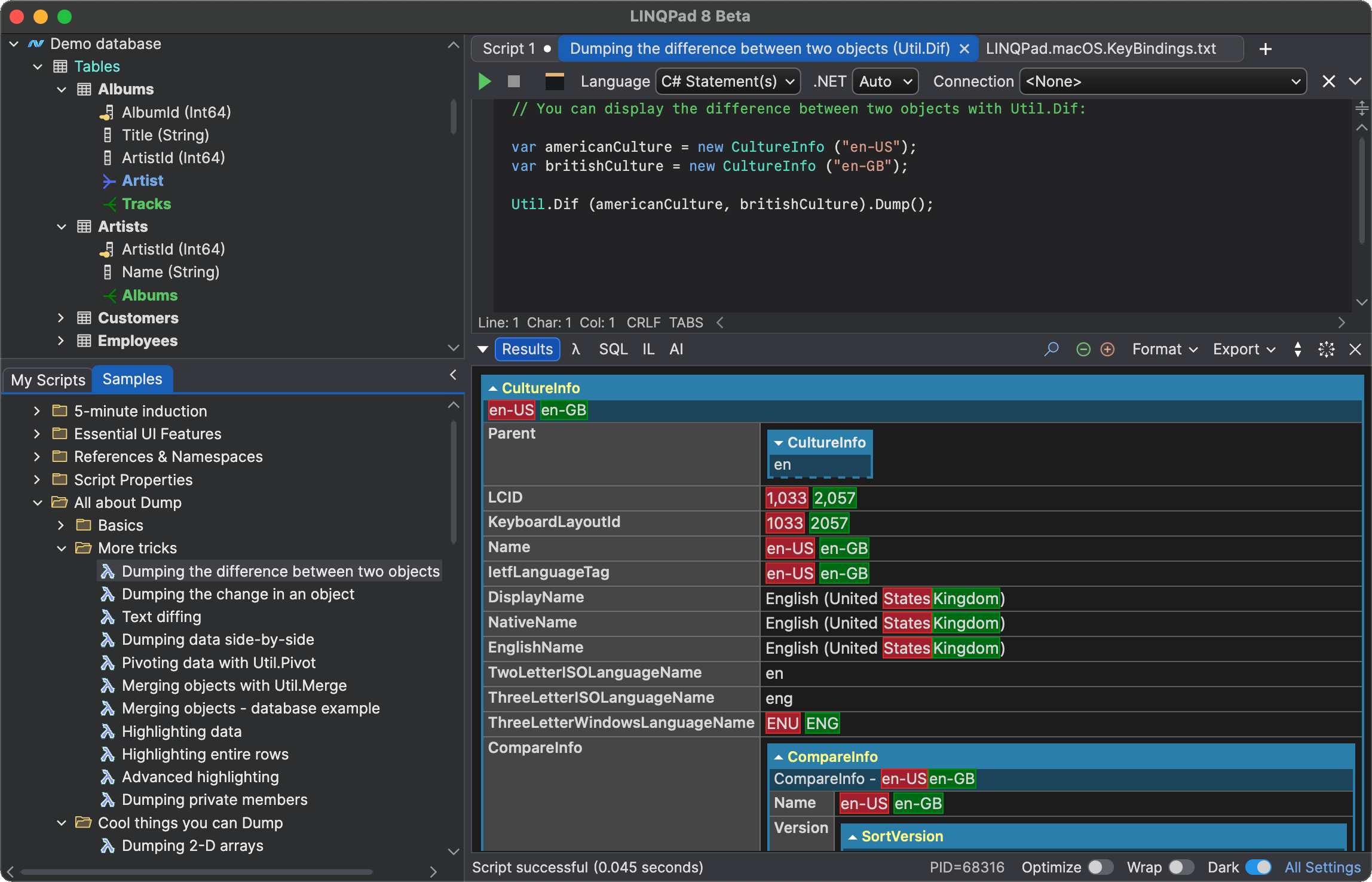
LINQPad
Nearly two decades of WPF code, running natively on macOS through Avalonia XPF, maintained by one developer.
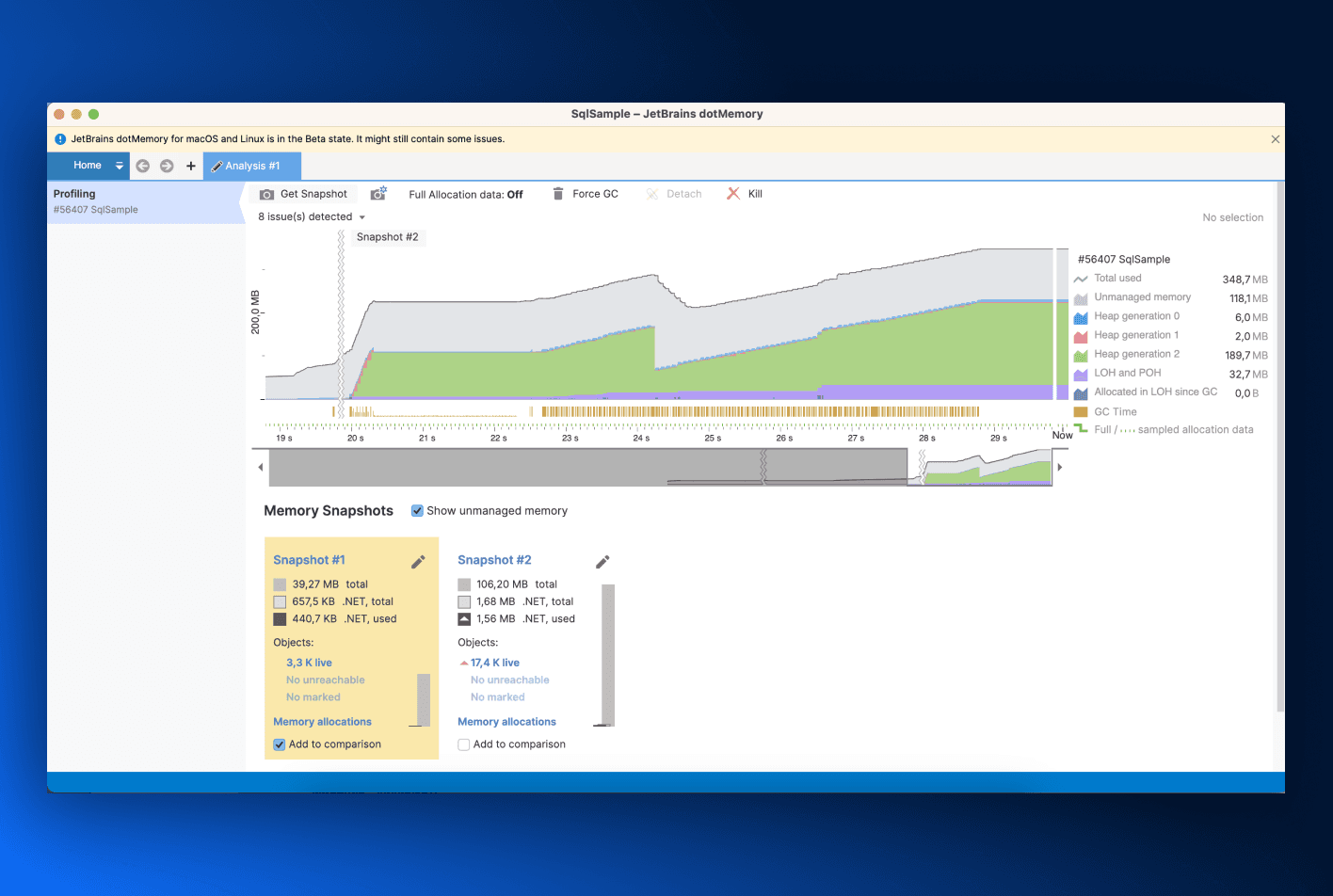
JetBrains dotMemory
The .NET memory profiler, rebuilt on Avalonia so one codebase serves the Windows, macOS and Linux editions.
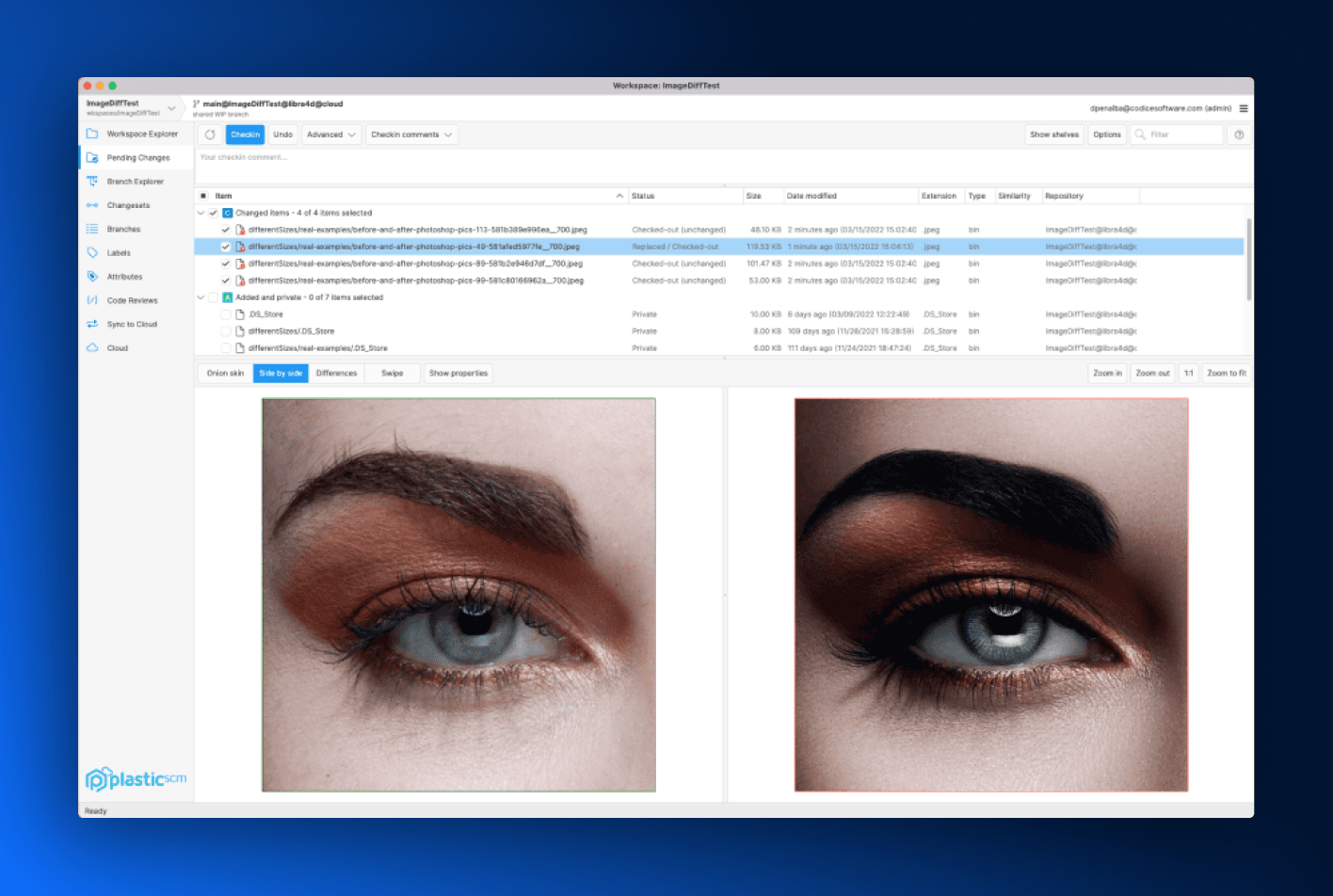
Unity Plastic SCM
Version control for game teams, with the same client shipped for Linux, Windows and macOS.
Developer Experience
Day-to-day use
Your XAML and C# skills transfer immediately. Avalonia’s IDE extensions already provide the live preview workflow that professional WPF developers rely on, while preserving the fast, precise XAML-first development model they know. Soon, our standalone visual design tool will go further, reimagining what a modern XAML designer can be. The result is not a compromise. It is a familiar development experience backed by a modern, high-performance engine that reaches far beyond Windows.
The designer question
WPF has the designer. Avalonia has a previewer.
The drag-and-drop XAML designer in Visual Studio is a unique feature. Avalonia’s offers a different workflow: a live XAML previewer in Visual Studio, VS Code and Rider, with Avalonia DevTools inspecting the running app, and an MCP server so your agents can drive it too.
Third-party controls
Two answers, for two kinds of code.
WPF’s commercial ecosystem has two decades of depth; that’s a genuine advantage and it stays in the ledger. For new Avalonia work there are native commercial suites, including Actipro’s, alongside the built-in controls. And for the WPF code you already have, the major WPF vendor suites run under XPF, with 429 controls tested and 90% working in the published compatibility database.
Deployment
One pipeline, every desktop.
A WPF app ships to Windows with MSIX or ClickOnce. An Avalonia app ships self-contained to each desktop, trims and compiles ahead of time where startup and footprint matter, and Parcel produces the installers for every target from one run. The pipeline stops being a per-platform project.
Side by side
A fair comparison.
A balanced perspective on where Avalonia and WPF both offer value.
Where it runs
The model
The lifecycle
The working week
WPF rows were checked against Microsoft’s published pages in August 2026: the Desktop Guide overview, the Windows developer platform comparison, the .NET 10 release notes for WPF and the .NET support policy. When Microsoft’s pages change, so should this table; tell us if we’re behind.
FAQ
The questions
WPF teams ask.
If you’re weighing this up for a real codebase and something here doesn’t cover it, ask us directly.
No, and this page doesn’t argue otherwise. Microsoft’s own platform overview marks WPF actively maintained, new versions ship yearly with .NET, and a Fluent theme for Windows 11 arrived in .NET 9 and grew in .NET 10, with Microsoft’s own note that “Fluent UI style support is still in progress”. What WPF is, in Microsoft’s words, is Windows-only: “Even though .NET is a cross-platform technology, WPF only runs on Windows”. So WPF is healthy. What remains to decide is whether Windows-only is a constraint your product can afford.
If the product is Windows-only by nature, forever, and your team leans on the drag-and-drop XAML designer in Visual Studio, WPF remains a sound choice, and Microsoft would also point you at WinUI for new Windows apps. The calculation changes the moment any other platform enters the roadmap: the same XAML and MVVM investment on Avalonia buys Windows plus five more targets, and you never face the port later because there’s nothing to port from.
No. Avalonia is an independent implementation of the same model: XAML, bindings, templated controls, MVVM, built from scratch to be cross-platform, with deliberate differences like selector-based styling and compiled bindings. The fork exists too, and it’s a different product: Avalonia XPF is a binary-compatible WPF runtime, derived from WPF’s code, for running existing WPF applications on macOS and Linux. Avalonia is where new work goes; XPF is how shipped WPF apps travel.
Different enough to notice, small enough to look up. Styles select like CSS, with classes and pseudo-classes, where WPF uses triggers. Properties register as strongly typed StyledProperty fields rather than DependencyProperty. Events are pointer-based rather than mouse-specific. Bindings can compile, so a bad path can fail the build. The migration guide documents each mapping, and the cheat sheet compresses them to one page.
Keep the model. Lose the ceiling.
Twenty years of XAML instincts stay valuable: Avalonia takes the model to six platforms under an MIT licence, and XPF takes the application you already shipped to macOS and Linux without a rewrite.